Streaming gave us everything except each other.
We lost family movie night, TV time on the couch, and even the watercooler. We kept talking about what we watch — just now in comment sections — and learned the hard way: spoilers ruin everything. Watch a finale a week late and the internet has already given the ending away.
Buddy Watch is the conversation, brought home — and made spoiler-safe by design. Timestamped comments from your people, anchored to the moments they happen. Comments don't appear until you reach them. Your friends can react to the finale on Sunday; you won't see those reactions until you watch the finale, whenever that is.
Watching the same thing, on your own time, wherever you stream — all the takes, none of the spoilers. Finally, you can watch alone, together.
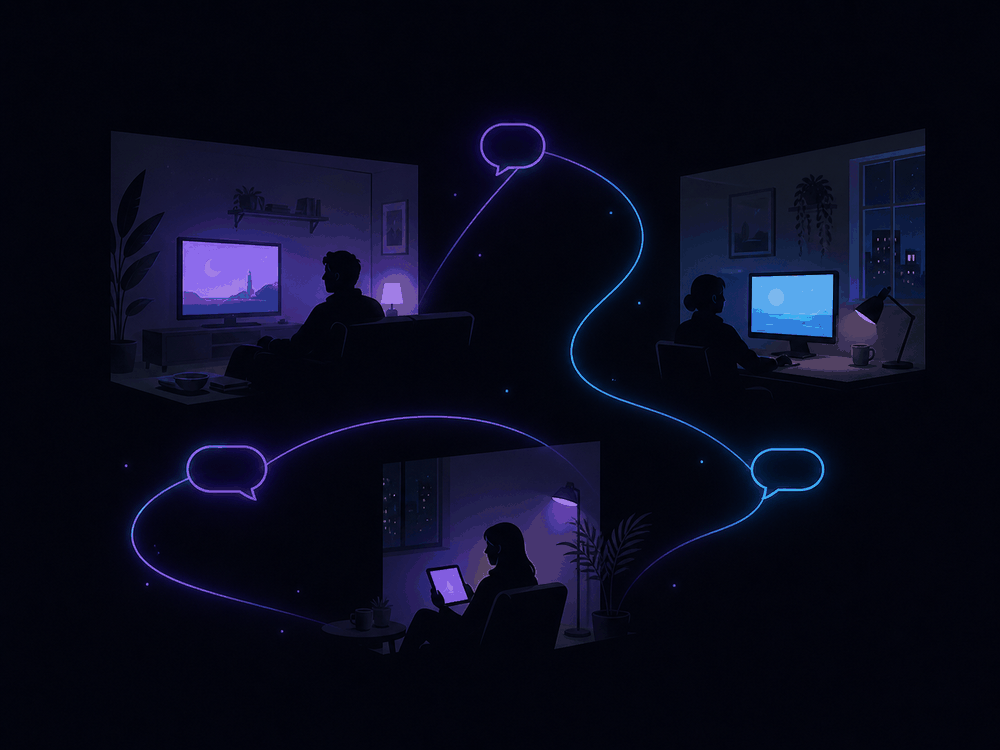
Spoiler-safe by design
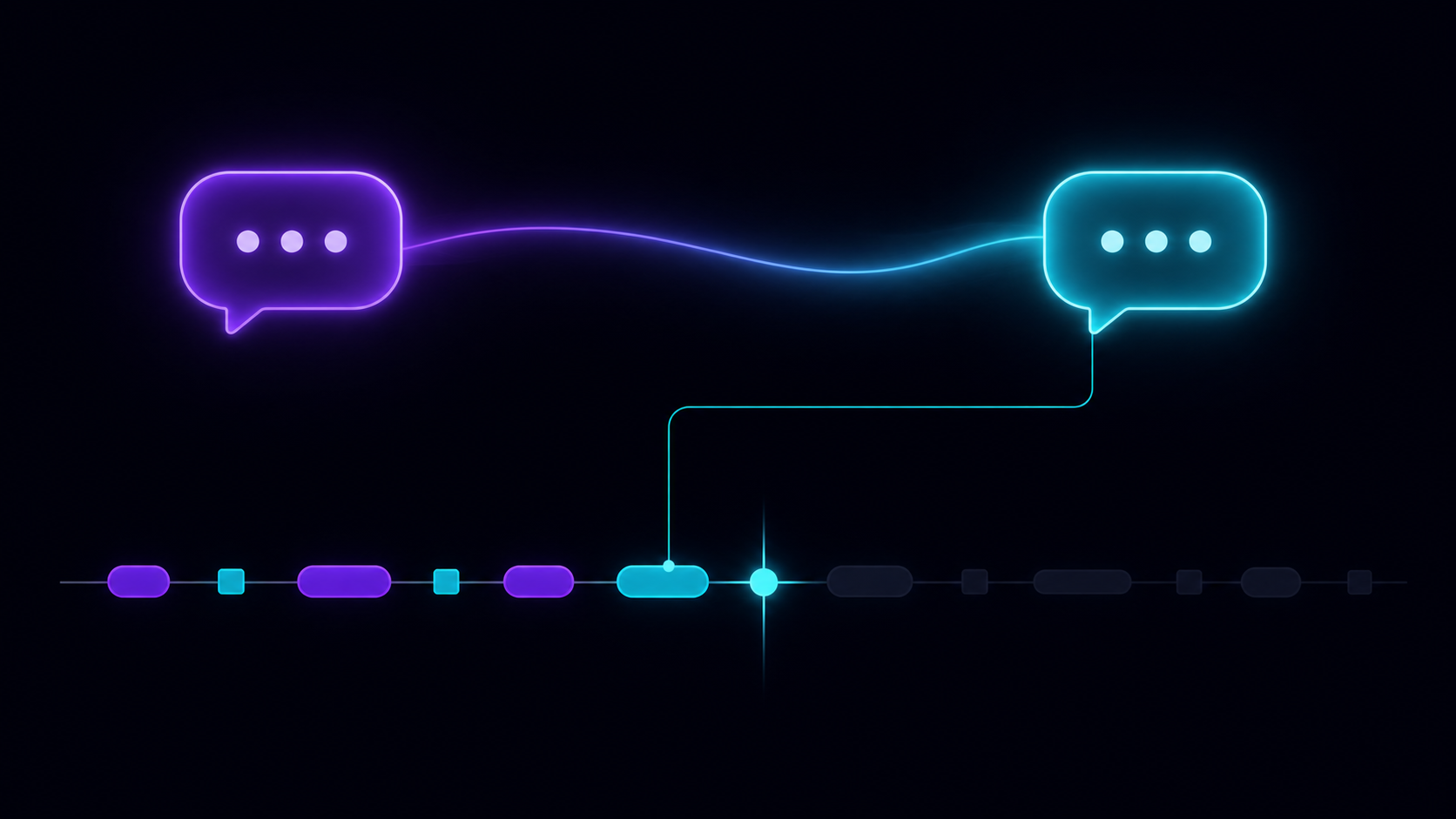
Every comment in Buddy Watch is anchored to the moment it's about. When your friend comments at minute 47 of episode 4, that comment doesn't exist for you until you reach minute 47 of episode 4. You can't accidentally scroll past it. You can't see it in a notification. It simply isn't there until what you're watching has shown you what the comment is about.
So your friends can finish the season tonight. They can react to the twist. They can post the most off the wall finale theory of all time. And when you sit down to watch what they watched minutes ago, days ago, or whenever, the conversation is right there waiting — exactly when you're ready for it. Not a beat sooner.
No "no spoilers please." No spoiler tags to remember. No anxiety reading a thread. The structure handles it.
And it works across different copies of the same edition. Whether your friend has a different rip, a different transcode, or a different media server entirely — Plex while you're on Jellyfin, your Emby while they're on Plex — Buddy Watch aligns the conversation to the moment it's about. As long as you're watching the same edition (same cut, same runtime), your timestamp is theirs. The provider is invisible.
How it works
1. Connect to where you watch
Buddy Watch sits alongside Plex, Jellyfin, and Emby — and works across all of them, on any device. Your friend's on Plex while you're on Jellyfin? The conversation finds you. For Netflix, Hulu, Disney+, and other streaming services, our browser extension (coming soon) follows your playback through the browser. Either path unlocks the social layer; you need at least one. We don't host or stream anything — your media stays where it is.



2. Add your people
Friends, family, that one cousin with the takes. Buddy Watch is built for the small-circle conversation, not the algorithm.
3. Watch, comment, react
Comments anchor to the timestamp. Threads stay with the moment. Reactions appear when your friends reach them. Pick up the conversation whenever you do.
What you can do
Comment at the moment
Your reaction stays anchored to the second it happened. When friends get there, they see exactly what you saw.
Threaded conversations
Replies stay with the moment. The conversation about the season finale doesn't get buried under casual chat.
Watch alongside
When you're watching at the same time, see where your friends are too. Pause together, sync up, no special infrastructure required.
Your library, your friends
Connect to where you watch — Plex, Jellyfin, and Emby. We don't host or stream — your media stays where it is. We're a companion, not a competitor.
One conversation, every server
Your friend on Plex, you on Jellyfin, your cousin on Emby — Buddy Watch aligns the conversation to the moment it's about, regardless of which media server anyone uses. Same edition, same timestamp, same thread. The provider is invisible.
Privacy-first
You control what each friend sees, when, and from where. Every signal is opt-in. No tracking, no algorithmic feed, no surprises.
Why we built this
Streaming was supposed to give us everything. Instead it scattered us — different titles, different schedules, different conversations in different apps. Family movie night? Sunday-night TV with the family? Gone. The morning-after watercooler chat about last night's episode? Gone. We're all watching the same things, just never at the same time, never in the same place.
But here's what we've learned from the internet: the comment section is half the experience. A great Reddit thread about a movie. The Letterboxd review that nails it. The friend's text mid-episode that becomes a running joke for years. We never stopped wanting the conversation — we just lost the place to have it. And every place that tried became a spoiler minefield.
The best parts of life are the ones we share with people we love — and watching things together used to be one of those parts. Different schedules and four screens at the dinner table changed that. Buddy Watch is my attempt to get some of it back.
— Marc Rajs
Buddy Watch is that place. Your friends, your library, your timestamps, your takes. Watching alone, together — finally.
What it isn't
We're being honest about scope. Buddy Watch is not:
- A streaming service. We don't host, transcode, or redistribute any media. Bring your own library.
- An algorithm. No infinite feed, no ranking, no "for you." You see what your friends say. That's it.
- A replacement for group chat. Casual back-and-forth lives in your messenger; Buddy Watch is for the conversation that's anchored to what you're watching.
- A discovery engine. We're not telling you what to watch. We're making it better when you watch what you already chose.
- For everyone. It's built for people who watch with people they care about, on schedules that don't always line up. If that's you, welcome.
FAQ
Do I need Plex, Jellyfin, or Emby?
You need at least one connection — either Plex/Jellyfin/Emby (works on any device, no extension required) or our browser extension (coming soon, for streaming services we can't reach via API). Without a connection there's nothing for the conversation to anchor to. Comments, threads, and watch-together all gate on having at least one source of playback truth.
Is there anything my server admin needs to do? What does Buddy Watch see?
Plex: nothing. Your Plex account access is enough — connecting takes a tap.
Jellyfin: your server's admin adds Buddy Watch's API key to the server once (a 30-second config step). After that, anyone with an account on that server can connect normally.
Emby: same as Jellyfin — your server's admin adds Buddy Watch's API key to the server once. After that, anyone with an account on that server can connect normally.
What we see, regardless of provider: titles you're watching, playback positions, and library metadata (so we can match what you're watching to the right discussion thread). We never receive your media files or transcoded streams — those stay on your server. Your API keys are encrypted at rest.
Can I use Buddy Watch with Netflix, Hulu, Disney+, and other streaming services?
Yes — through our browser extension, coming soon. The extension follows your playback on services we can't reach via API: Netflix, Hulu, Disney+, Prime Video, Max, Apple TV+, Paramount+, and Peacock. You install it from the Chrome Web Store / Firefox add-ons / Edge add-ons when it's ready, and you approve each service individually before the extension reads anything from it.
Plex, Jellyfin, and Emby don't need the extension — those work directly on any device, including phones and TVs without browsers. The extension is only the path for streaming services that lack an API we can talk to.
Does Buddy Watch host or stream content?
No, never. We're a companion app. Your media stays where it is; we just provide the conversation layer on top.
What about my privacy?
Privacy is a foundational design decision, not a setting. You control what each friend sees about your viewing — opt-in visibility, per-friend, per-signal. We don't sell, share, or analyze your viewing for advertising. Detailed privacy policy in the footer.
What if my friend finishes ahead of me — won't they spoil it?
No. Comments only appear when you reach the moment they're tied to. Your friend can react to the season finale; you won't see those reactions until you watch the season finale. Spoiler-safety isn't a guideline — it's how the system works.
What if my friend uses a different media server than I do?
That's fine — they're still in the same conversation, as long as you're watching the same edition. If alice runs Plex and bob runs Jellyfin and both have the theatrical cut of Oppenheimer, they're in the same Oppenheimer thread. (Director's cuts, extended editions, and theatrical releases each get their own thread, since they're different works.) Buddy Watch matches by canonical metadata + runtime, so different rips and transcodes of the same edition fold together; different cuts stay separate. Provider doesn't matter; edition does.
Is there a free tier?
Right now Buddy Watch is in private beta and free for invited testers. Long-term we're planning a free-with-limits tier and a paid tier with the social features that cost real infrastructure (like watch-along presence). Details when we're closer to public launch.
How is this different from group chat or Discord?
Casual chat is great for casual chat. Buddy Watch is for the conversation that's tied to what you're watching — so the comments about Episode 4 stay with Episode 4, anchored to the timestamps where they happened. Pick it up next year and the conversation is still where it was.
Why is signup invite-only right now?
We're in private beta — small group of testers, real feedback, real iteration. Public signups open later. Drop your email below to be notified when they do.
Who's building this?
Buddy Watch is being built by Marc — a person who missed the watercooler and wanted it back.
Is the code open source?
Not yet — we're still kicking it around.
Get in touch
Found a bug? Have a feature idea? Want to nerd out about self-hosted media stacks?